
In this article:
Archive a supplier when it should no longer appear in the active supplier list or enter future review workflows.
Archiving moves the supplier to the Archived suppliers tab while retaining the record and its history for future reference.
Use Archive when a supplier is no longer approved or required, or when it should no longer enter scheduled review workflows.
The supplier moves out of the active list, but its assessment, performance notes, attachments, and system history remain available.
Q: Who can archive a supplier?
A: You need the Archive Governance register items permission.
Q: Is the reason for archiving recorded?
A: Yes. The archive action and reason are retained with the supplier's system history.
Before you start
Check the following:
- You have the Archive Governance register items permission.
- You know why the supplier is being archived. This reason is retained with the supplier's history.
Step 1: Open the supplier
Open the supplier you want to archive from the Supplier register.
Navigation path
Select the supplier name to open its detail page.
Step 2: Archive the supplier
Scroll to the bottom of the supplier detail page. Select Archive, enter the reason the supplier is being archived, then select Archive in the confirmation dialog.
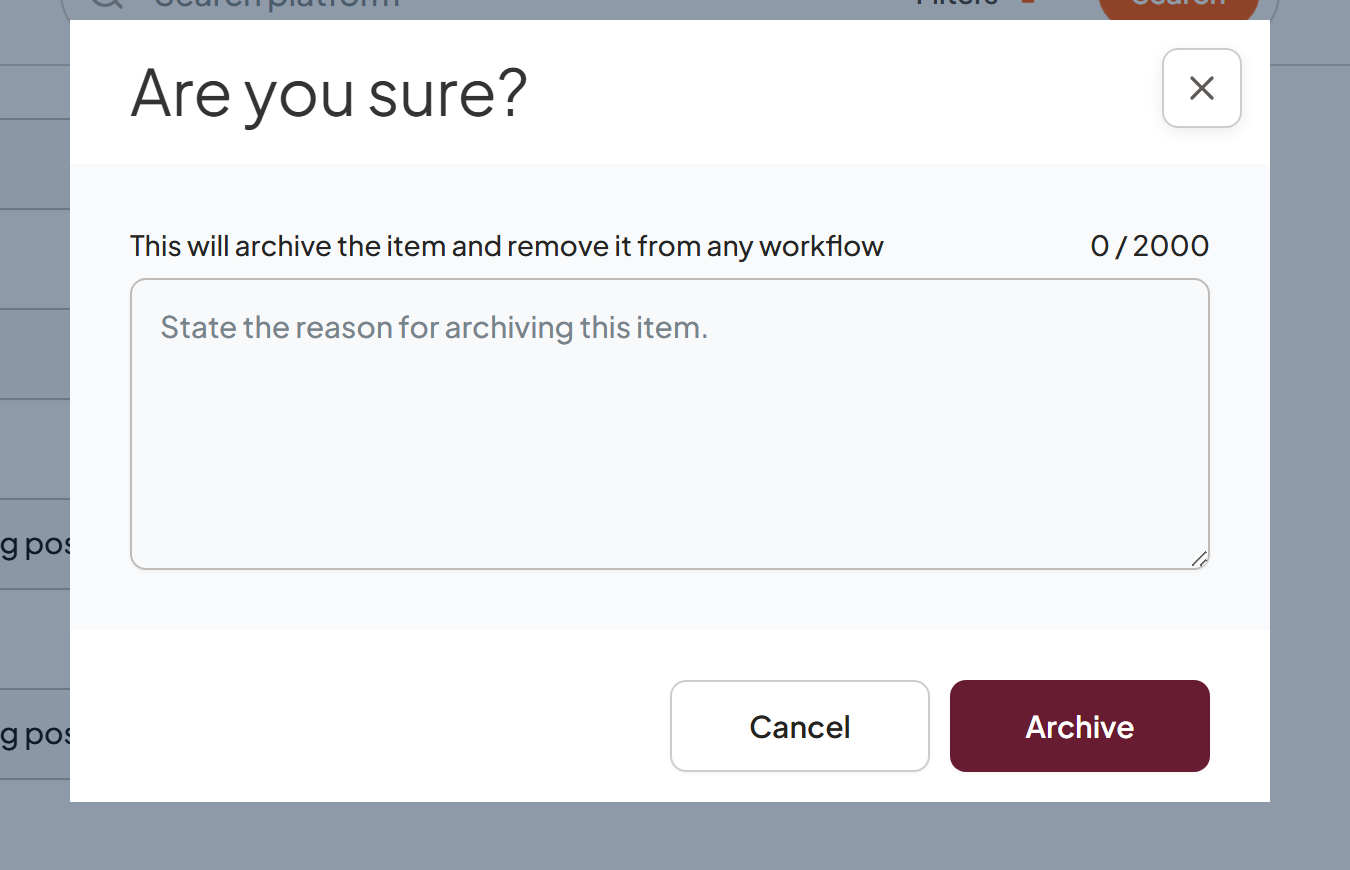
Enter the reason for archiving the supplier before confirming the action.
Step 3: Check the archived supplier
Return to the Supplier register and open the Archived suppliers tab. Confirm that the supplier has moved out of the active list.
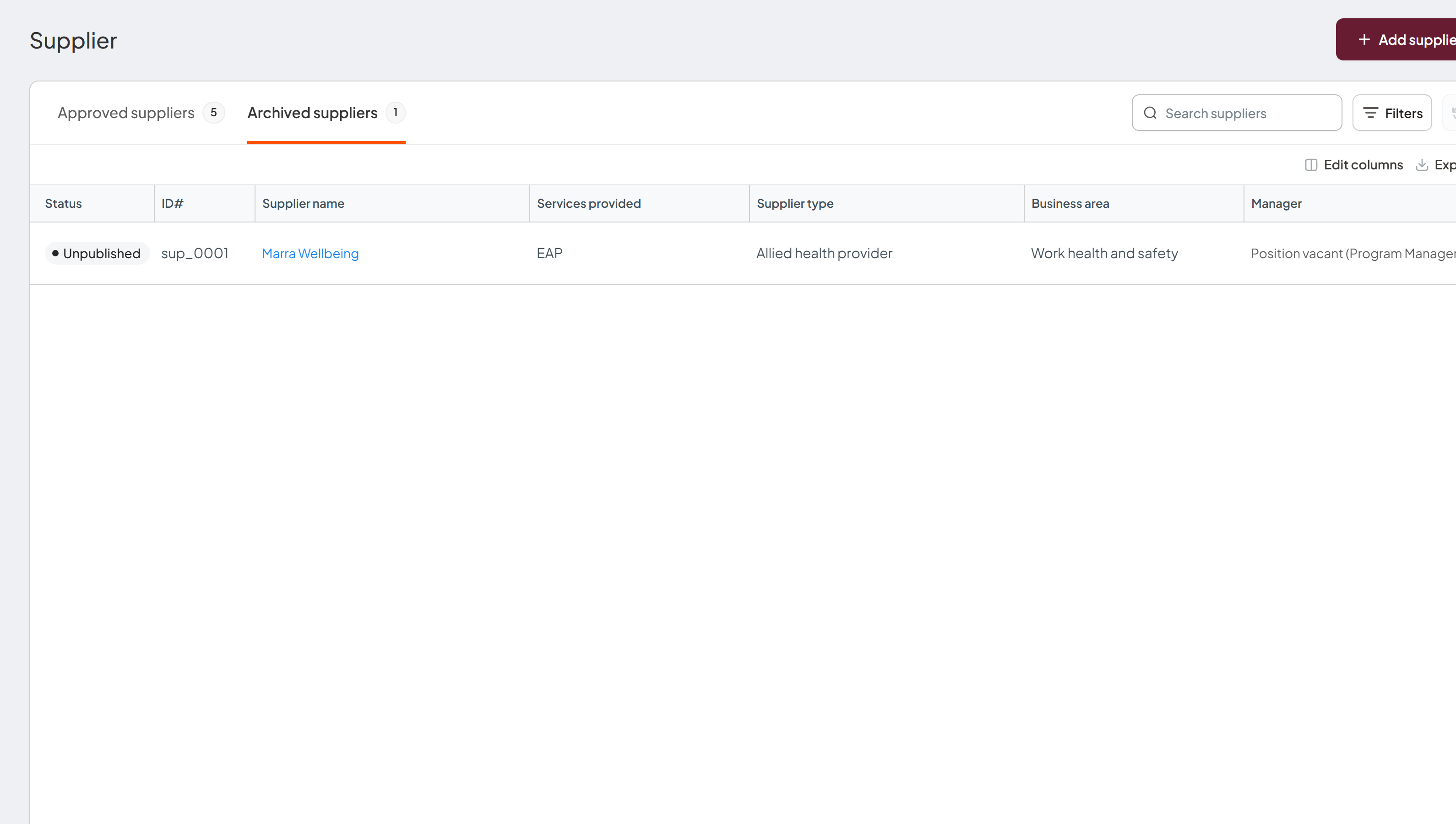
Archived suppliers are listed separately from active suppliers.
What happens next
The supplier leaves the active list
The supplier is moved to the Archived suppliers tab and no longer enters future review workflows.
The supplier history is retained
The record and archive reason remain available for reference in the archived list.