
In this article:
Learn how Logiqc assigns version numbers to contracts.
Logiqc assigns version numbers to contract files. Draft versions use decimal numbers, such as 0.1 for an initial draft. Published versions use a whole number displayed with .0, such as 1.0.
A draft version is a contract file awaiting approval. For example, an initial draft can show version 0.1, whereas a published contract file can show version 1.0.
How version numbering works
In View contract, files are labelled Draft version or Published version. An initial draft can show 0.1; a published file can show 1.0.
These numbers identify file versions, not every workflow approval. Approving the record again without a new file can leave the published version number unchanged. Unlike documents, Upload contract does not provide a Set initial version number field.
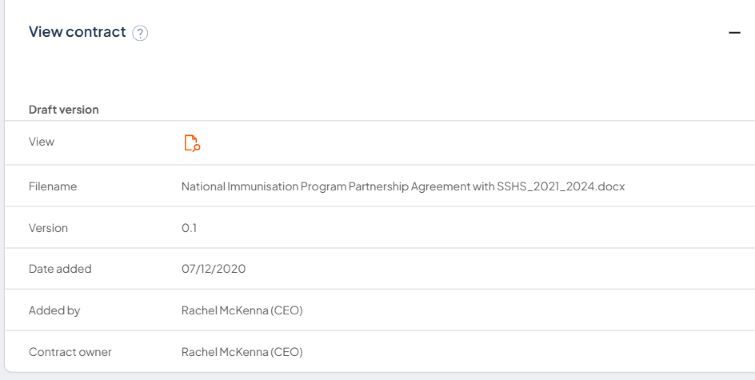
The View contract section shows this initial contract file as Draft version 0.1.
Draft version
- Created when a new version of a contract is added
- Given a decimal number (for example, 0.1 for an initial draft)
- Remains a draft while awaiting approval
Published version
- Identifies the approved contract file version
- Whole-number version displayed with .0 (for example, 1.0)