New features
Multi-factor authentication for direct Logiqc sign-in
Logiqc now supports authenticator-app multi-factor authentication for users who sign in directly with a username and password. Administrators can enable MFA across their organisation, manage MFA for individual non-SSO users, and reset MFA when a user needs help regaining access.
The mobile app also supports the new MFA sign-in and setup experience. SSO users continue to use the MFA settings managed by their SSO provider. For more information visit Roll out MFA to your organisation. 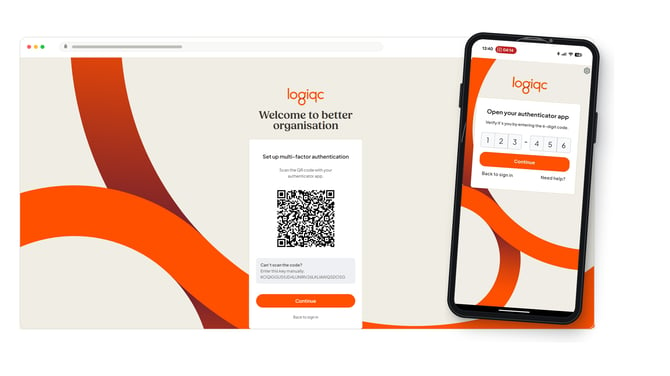 ID 1035
New audit templates for Australian and New Zealand standards
New audit templates have been added to Logiqc Auditor for auditing against Ngā Paerewa Health and Disability Services Standard, NDIS 2021, Strengthened Aged Care Quality Standards 2025, and RACGP 5. For more information about online auditing with Logiqc Auditor, visit https://logiqc.com.au/product/audit-register
ID 1524
Improved audit reports
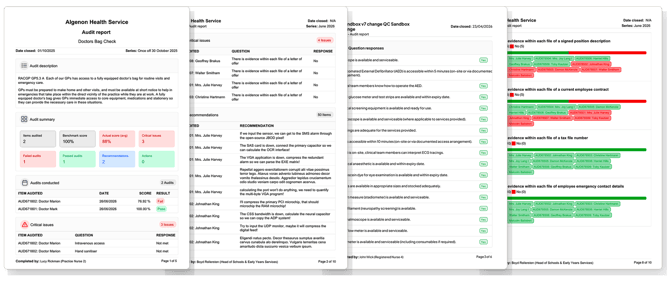
The Audit Summary report has been enhanced to provide a more intuitive and data-rich experience. This update introduces a redesigned layout featuring dynamic charts and structured tables, making it easier to visualise and analyse complex data at a glance.
 ID 1431
Improved accreditation reporting
The Accreditation Status report in Analytics now includes details about how the requirements are met, giving you more useful context and insights.
ID 1498
Coding for consumer funding and supports
A new configurable field for Funding/Supports has been added to the Persons involved component for Feedback and Incidents. This will enable greater reporting on people involved in adverse events.
ID 1379
Better task reminders and document acknowledgement reporting
Weekly overdue task reminder emails now include overdue document acknowledgement tasks, helping users keep up with required acknowledgements. The document acknowledgement report action has also been renamed so it is clearer what report will be created.
ID 1223 & 1522
New audit templates added to the template library
A set of new audit templates relating to the National Standards for Safety and Quality in Health Care (NSQHS) are now available in the Logiqc Auditor template library.
The new Logiqc Auditor feature lets you conduct audits entirely online via desktop or mobile, delivering a simpler, more efficient process alongside powerful audit trend analytics.
ID 1357
New REST API endpoints for person reference data
The REST API now exposes reference data endpoints for ethnicity, workplace, and person type, for both feedback and incident records.
This lets API integrations look up and submit valid values for person-related fields, including persons involved captured through external feedback and incident forms.
Customer request #255179490784
New in-app walkthroughs for Logiqc Auditor
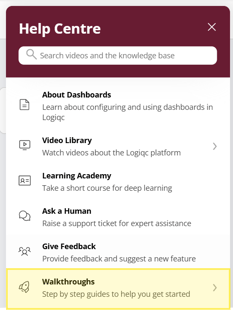
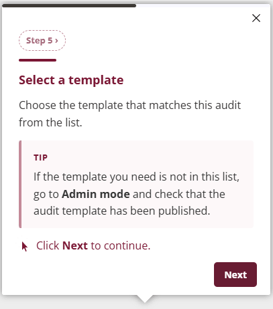
Step-by-step walkthroughs are now available in Logiqc Auditor to help you schedule audits, build and publish templates, and review audit analytics. Find them in the help center.
Enhancements
Tabs: overflow now collapses into a dropdown
When a record has more tabs than fit across the screen, the extra tabs now collapse into an overflow dropdown instead of being cut off.
This keeps every tab reachable on smaller screens and narrower windows.
Customer request #138574377462
Platform maintenance and bug fixes
- Fixed a document, asset, and compliance task column resizing issue. Customer request #256820367854
- Fixed an issue where draft items added via API could not be deleted. ID 1513
- Fixed the Auditor task drawer so “Make recommendations” opens the correct tab. ID 1520
- Fixed an issue where a risk profile task could remain open after the linked improvement was closed. Customer request #260425193948
- Updated Action History ordering to make same-day entries clearer. Customer request #251904701903
- User provisioning now completes reliably with automated (SCIM) provisioning, so accounts are no longer left unassigned during the provisioning cycle. ID 1369
- Incidents involving assets: asset details are no longer removed from the incident when a Response Protocol or Action task is assigned at the Manage stage. ID 1441
- Completed Response Protocol tasks no longer appear as open and overdue in Tasks. ID 1390
- Resolved a validation error that could prevent publishing a risk using Quick Publish. ID 1445
- The risk name now matches the risk header shown in the risk details form. ID 1389
- Logiqc Mobile: resolved a crash that could occur when tapping "Report an incident". ID 1443