
In this article:
Learn how to archive a risk in Logiqc.
Archiving moves a risk out of the active register view and prevents it from automatically entering future review workflows, so the register stays focused on risks that are still active.
Archive a risk only when it is no longer required as an active risk item.
Examples may include outdated risks, risks replaced by a newer record, or risks that are no longer relevant to the organisation.
Because archiving changes future workflow behaviour, record a clear reason when you take this action.
Q: Does archiving delete the risk?
A: No. Archiving moves the risk out of the active workflow view. The risk history remains available for traceability.
Before you start
Check the following:
- You have the Archive Governance register items permission.
- You have opened the risk details page and confirmed the risk should no longer remain active.
- You have a clear reason for archiving the risk.
Step 1: Open the risk
Go to the Risk register and open the risk you want to archive.
Navigation path
Open the Risk register, then select the risk item you want to archive.
Review the risk details before taking archive action.
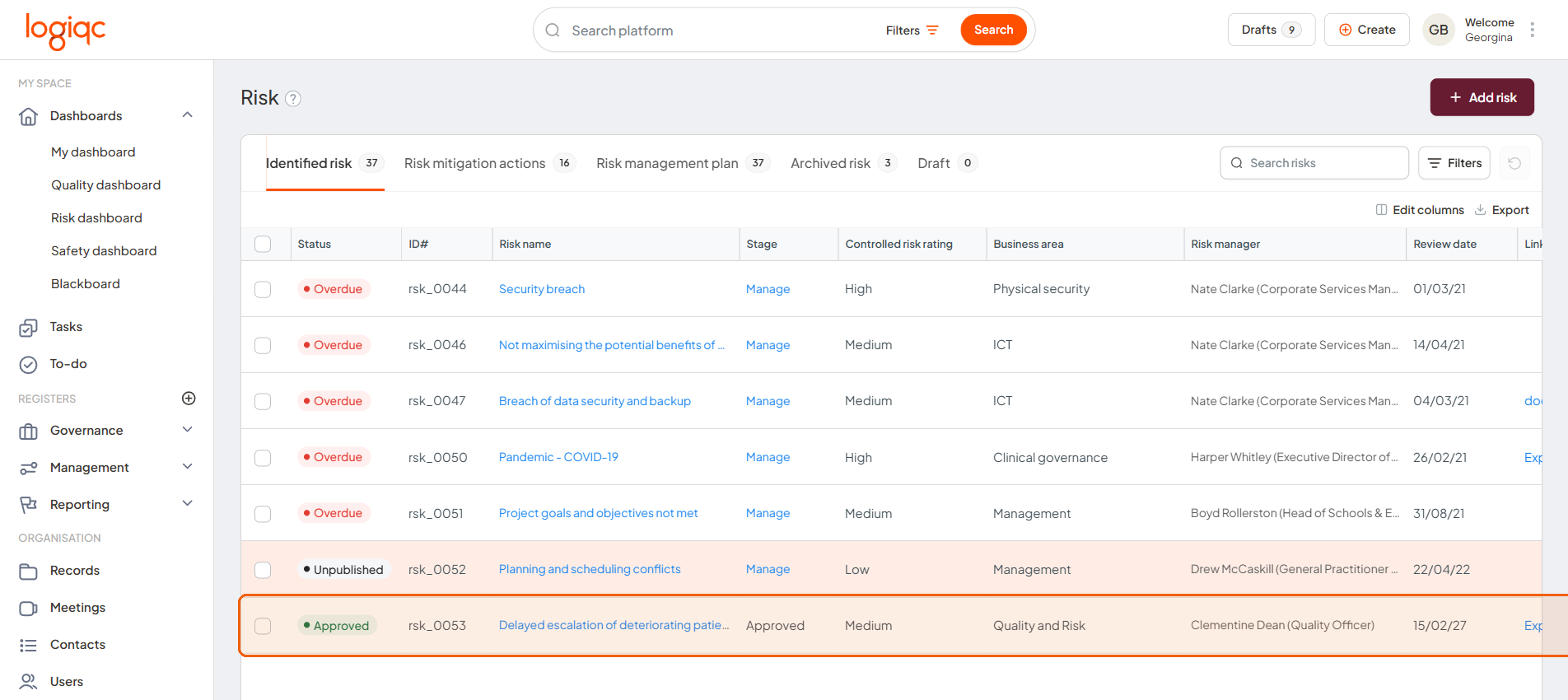
Review the risk details before taking archive action.
Step 2: Archive the risk
At the bottom of the risk details page, select Archive. In the Are you sure? dialog, enter your reason, then select Archive again.
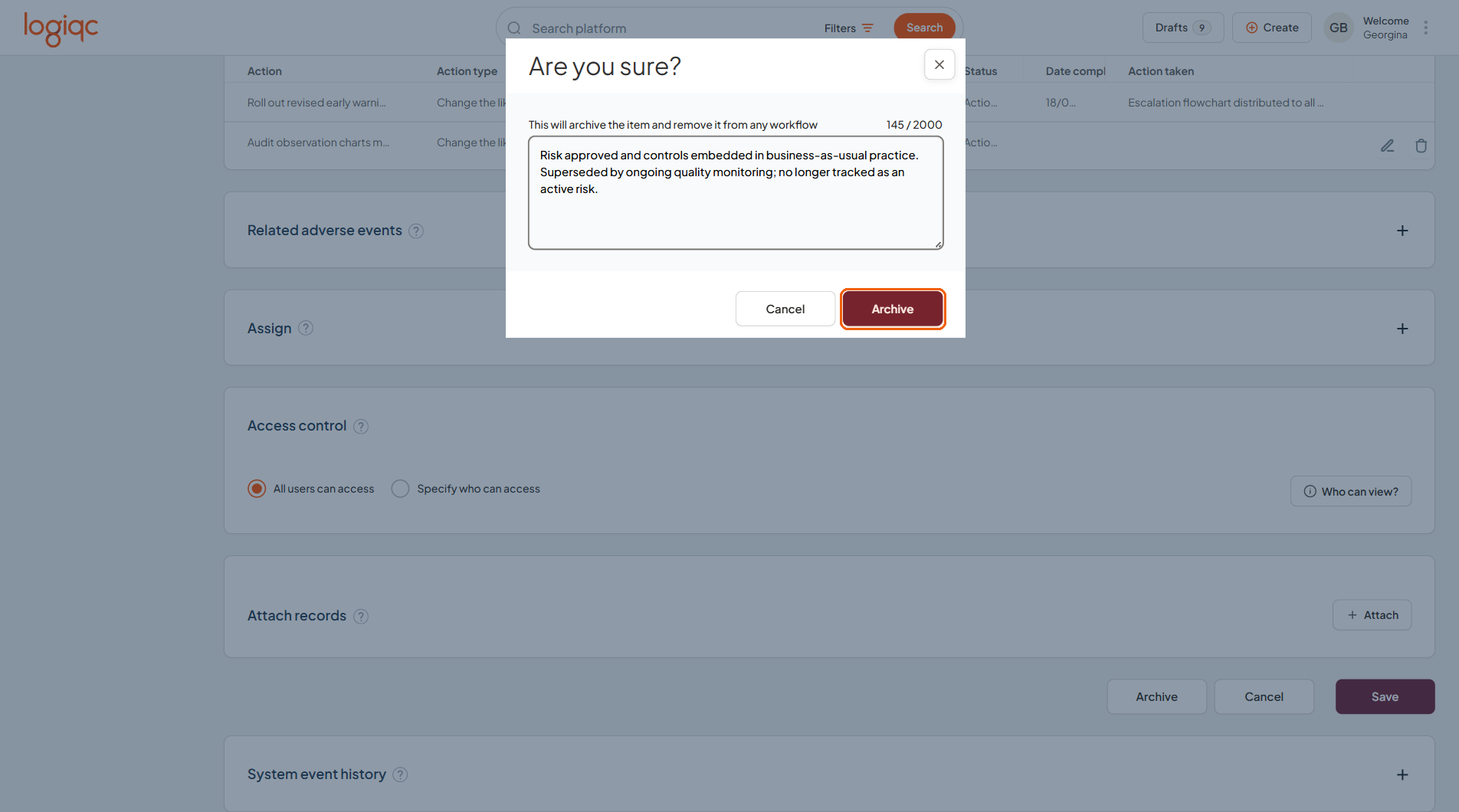
The confirmation dialog records the reason and provides the final Archive action.
Step 3: Check the outcome
Return to the Risk register and confirm the risk has moved out of the active view.
Open the Archived risk tab whenever you need to locate it later.
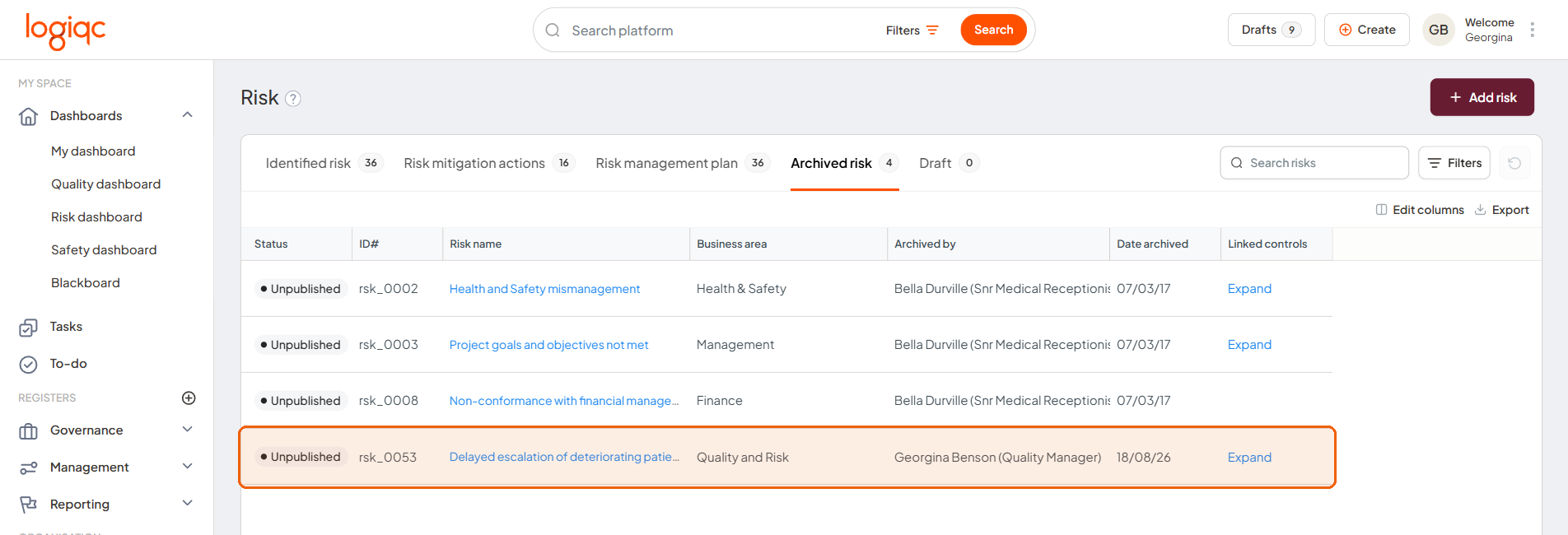
Archived risks remain available from the Archived risk tab.
Troubleshooting
"I can't see Archive on the risk"
- Check whether you have the Archive Governance register items permission.
- Confirm you are on the risk details page rather than a summary or list view.
What happens next
The risk leaves the active view
Archived risks are removed from the active register workflow view.
Future workflows stop
The archived risk will not automatically enter future review workflows.
History remains traceable
The archive reason and previous activity remain available for audit and traceability.