
In this article:
Learn how document management works in Logiqc and how to keep your organisation's policies and procedures controlled, current, and accessible.
The Documents register is a central library for approved documents such as policies, procedures, templates and forms. These documents must be 'controlled' to ensure staff have access to the most current and approved versions.
Overview video: Watch the short video below for a guided overview of document management and the Documents register.
Key features
The Documents register manages the full lifecycle of each document, from creation through review, approval, and publication, to archiving when no longer needed.
It gives staff across the business, including multiple sites, easy access to the current approved version of every document.
Adding documents for building your library of approved policies, procedures, templates and forms.
Document workflow for moving every document through review, approval, and publication.
Review reminders for automatic tasks when a document is due for review.
Controlled documents for meeting the document control requirements of quality standards.
Notifications for letting users know when a document or task needs their attention.
Acknowledge for evidence that staff have read key documents.
Why document control matters
Quality standards such as ISO 9001, the National Safety and Quality Health Service (NSQHS) in Australia and Ngā Paerewa Health and Disability Services Standard in New Zealand reference document version control as a foundational process to support risk and quality management and to ensure that the right people have the right information at the right time.
Version control keeps a single source of truth: staff always work from the current approved version, and obsolete documents are removed from circulation before they can cause harm.
Controlled documents
Document management systems, like Logiqc's Documents register, must ensure:
- Documented information required for effective operations is appropriately controlled.
- Controlled documents have appropriate identification and description.
- Documents are regularly reviewed and approved for suitability and adequacy.
- Documents are available where and when they are needed.
- Documents are adequately protected from loss or improper use.
- Changes, retention and disposition are appropriately controlled.
Document workflow
Every document in Logiqc follows a typical document lifecycle that moves it through stages before it can be published. The workflow ensures documents are reviewed and approved by the right people.
A user with the Add documents permission creates the document, the Document manager reviews it (or delegates the review), and the Document owner approves it for publication. Once published, the document is available to all users with access, the previous version is archived automatically, and the next review date is set.
Task management options
Use the arrows to compare the options shown in different situations, or click an image to zoom in.
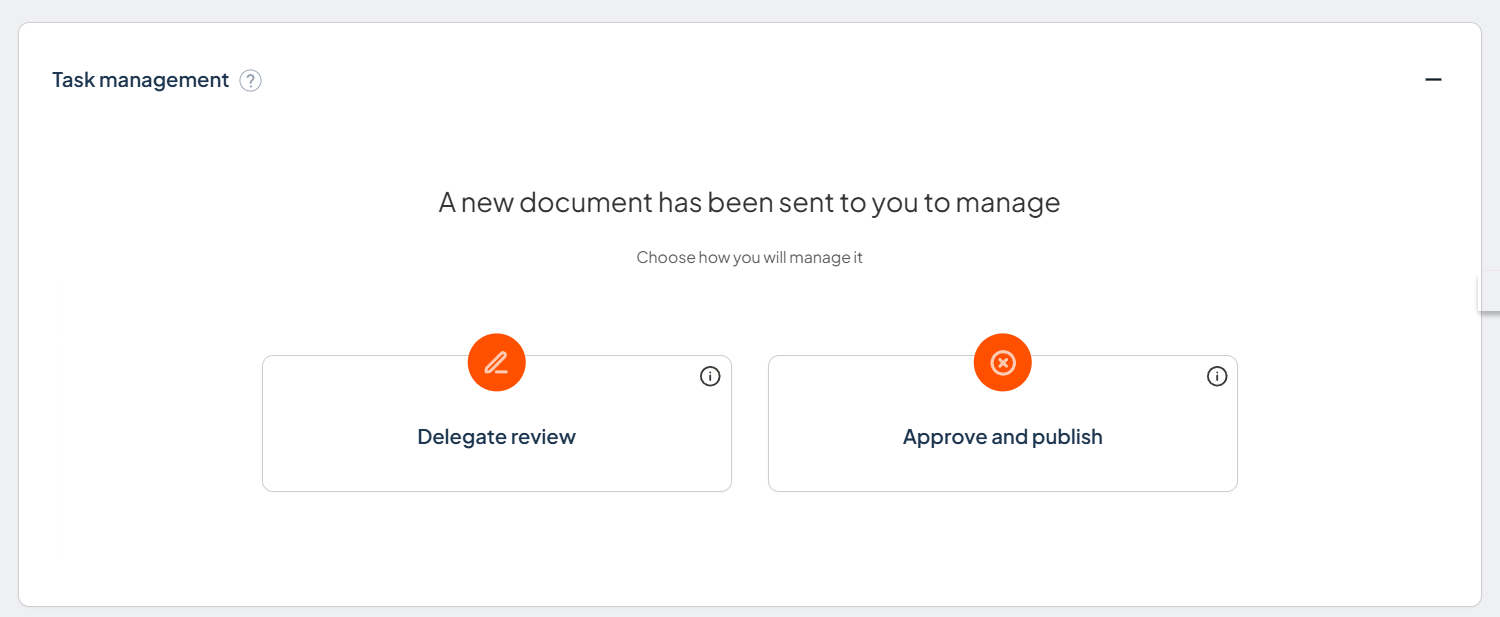
New document
Choose how to progress a new document that has been sent to you to manage.
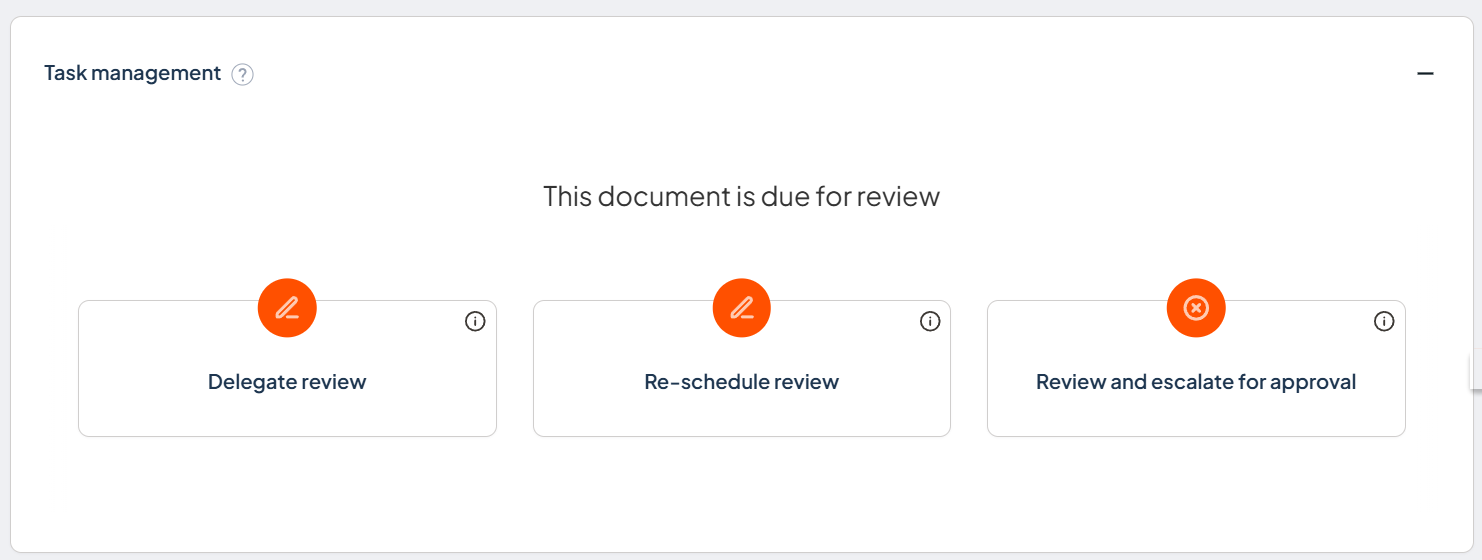
Document due for review
Choose to delegate, re-schedule, or review and escalate the document for approval.
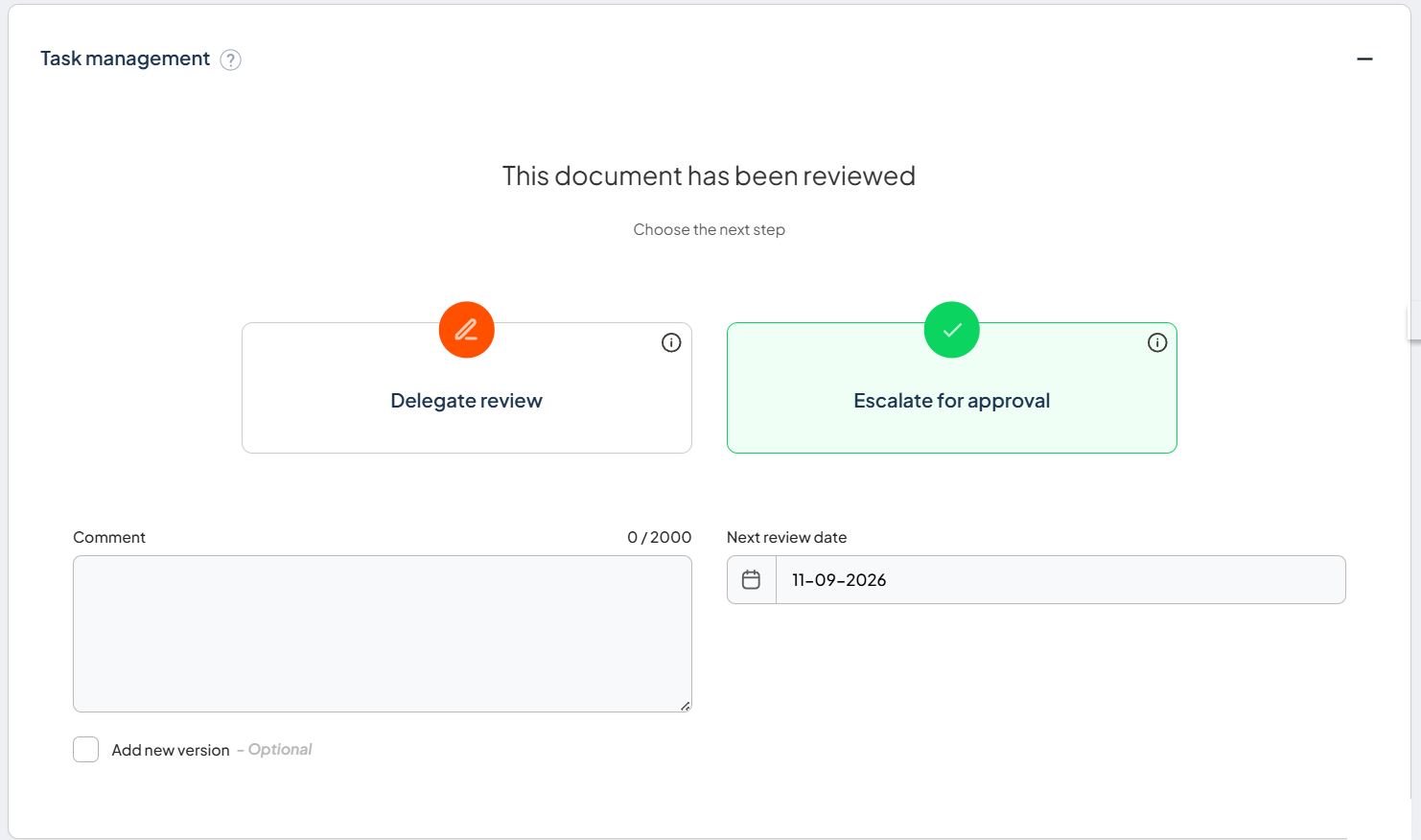
Completed review returned
Choose the next step after a delegated review is completed and returned to the Document manager.
Read the article to find out more:
Review reminders
Every published document carries a next review date, and Logiqc watches it for you.
- Review date reached: The document's next review date arrives.
- Manage task assigned: Logiqc automatically generates a Manage task for the Document manager, so nothing is missed.
- Review or delegate: The Document manager reviews and progresses the document through the workflow, or delegates the review to another user.
Read the articles to find out more:
Notifications
Logiqc sends task notifications to the next person in the workflow so they know when action is required.
When adding a document, you can also select Notify users by email to tell relevant personnel that the document has been added. This is optional. Recipients must be included in Viewing permissions to open the document.
Read the articles to find out more:
Documents and records
Documents are controlled files like policies and procedures that go through a review and approval workflow. Records are evidence that something happened, for example a completed form or meeting minutes.
Acknowledge
Acknowledgement gives you evidence that staff have read the most current version of key documents such as policies and procedures.
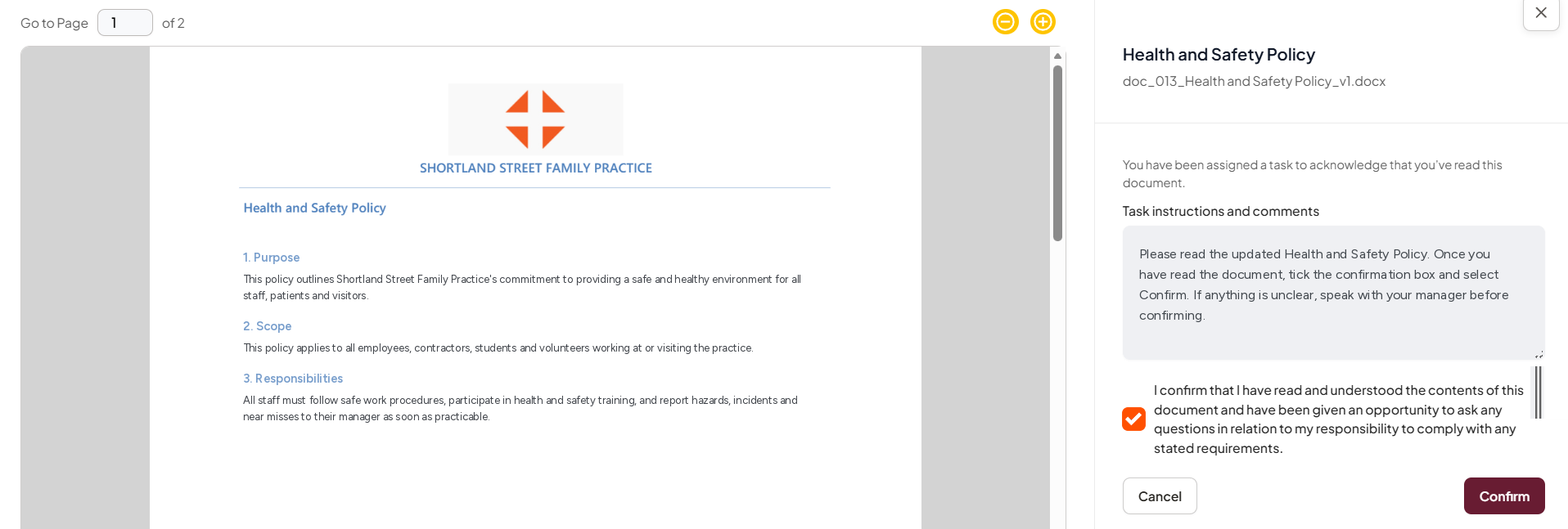
Open the acknowledgement task, read the document, and confirm that you understand it.
Read the article to find out more: